I went from a Dell S3422DWG 34" 144Hz VA to an Alienware AW3423DWF 34" 165Hz QD-OLED, BEST PC UPGRADE in YEARS. And yes I also own a 5090 and 9850X3D, the improved experience for gaming coming from a smearing VA to a crisp OLED is day and night.
That all said. That first gen QD-OLED (yes AW3425DW is also still first gen but with an overclock) does have some quirks.
- VRR flickering when Gsync is enabled.
- Text fringing due to suboptimal pixel layout
- Limited OLED CARE features compared to modern OLED packages (I used it as secondary monitor without taskbar etc)
- Needs a custom resolution to make 10-bit + 144Hz + Gsync work because only DP1.4 without DSC
- Purpleish hue when a light shines on it.
None of these were dealbreakers for me but they are real.
I just upgraded my AW3423DWF to the new AGON AGP346UCSD with 5th gen Samsung QD-OLED panel and full DP2.1 80 UHBR20 port. Hefty upgrade over the Alienware. 360Hz is real if you can push the pixels with your GPU. But mainly quality of life improvements
- No more VRR flickering with Gsync enabled (officially Gsync compatible)
- No more text fringing with RGB v-stripe pixel layout
- A ton of OLED CARE features for worrifree usage as primary monitor without fear of burn in or awkward usage to prevent burn in.
- full DP2.1. No DSC even needed for the full res + max refresh + 10-bit + gsync
- Better pc companion software than the Alienware comes with.
- Better build quality than the Alienware with metal edge around the panel to protect it.
- Black is black even when the light shines on the screen
Grab a newer panel if you want to be done for years. Grab the Alienware if you're on a budget but still want to get 90% of the QD-OLED experience just with some quirks.
(AGON AGP346UCSD has the same specs as the ASUS PG34WCDN but no presence sensor. A lot cheaper! The Gigabyte and Msi with this panel both don't get full DP2.1 and use DSC to overcome it's limits. So no Nvidia DSR if you planned to use that and more black screens when handshaking on going into fullscreen mode etc.)
When I upgraded from a dual-monitor setup to my Dell S3422DWG in 2021 I thought it’d be the be-all and end-all for my needs as a video editor and avid gamer.
*Welp*… I quickly figured out that extra width is just *one* *of* *many* important factors when it comes to maximising my productivity (and enjoyment!).
Over the following years my [video](https://www.youtube.com/shorts/lNxOgxCWV48) [production](https://www.youtube.com/shorts/ZZPwhwTYslE) [work](https://www.instagram.com/reels/C49jf0NvYpT/)\* ramped up, so I added an espresso display monitor to help my colour grading. Unfortunately the size difference felt comical and I *still* encountered tricky HDR grading disparities. It’s been so disruptive that in January, as I was editing my recent short film, I ended up visiting a friend over and over so I could proof my colour grade on their LG G4!
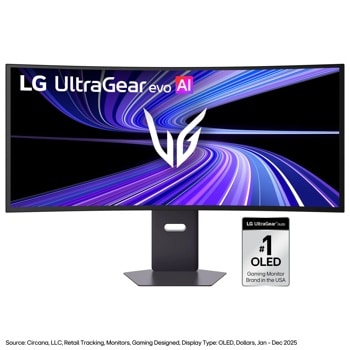
The reason it’s taken me a long time to upgrade my setup is because I’ve never been able to find the perfect marriage of bright HDR, 240hz and 95+% DCI-P3 colour accuracy on a 21:9 screen. As much as I’d like to say I’m an editor first and gamer second, games like Slay the Spire 2 really undermine that claim. Thankfully the UltraGear evo G9 ticks literally *every* long-empty box I have, and would be an *enormous* benefit to both my professional and recreational pursuits.
For editing, the immense amount of screen real estate will help me *finally* update my Premiere workspace layouts so I can switch between 9x16 and 16x9 editing without compromise. I can also say goodbye to my external monitor and rely on the colours of the panel (rather than bothering my mate with last minute house calls). And as simple as it may sound, I’m excited to have decent built-in speakers so I can fine tune my audio mixes across headphones, shelf speakers and built-ins
Because I’m constantly liaising with dozens of clients and stakeholders, being able to visually manage multiple projects across Monday, Slack and Trello in a single glance is going to help keeping track of my many competing priorities massively.
As for gaming, the HDR glow up is going to be *glorious*. While I’d like to think having an enormous screen will help me spot bush wookies in Hunt: Showdown, there’s a very real chance I’ll get distracted by god rays and domed on the edge of a compound. But boy oh boy will immersion be next level.
Thanks so much for the opportunity to go hands on with an absolute behemoth of a monitor! I’m confident the UltraGear evo G9 will radically improve my workflow (and very likely save my eyesight), and I’d love to produce a detailed review of this amazing monitor.
\*Disclaimer: I have since left this company and no longer produce sponsored brand content, so my review of the UltraGear evo G9 would be entirely my own 🙂
For productivity with some gaming, I'd actually lean toward the 34-inch UWQHD option you mentioned. The extra horizontal space is great for spreadsheets and the 1440p resolution is easier to drive than 4K for gaming. A monitor like the [Dell S3422DWG](https://metadoraffi-eng.github.io/shopit?Dell+S3422DWG+34+inch+ultrawide) offers that sweet spot with 144Hz for when he wants to game. If budget is tighter, the [Gigabyte G34WQC](https://metadoraffi-eng.github.io/shopit?Gigabyte+G34WQC+34+inch+ultrawide) is another solid VA panel option. I ran a similar setup last year and found the ultrawide format genuinely helpful for productivity workflows.
Anything Gigabyte works perfectly! You won't be disappointed.
That said, I code full-time and run an ultrawide, and honestly it’s hard to go back. Having my IDE, terminal, docs, and browser all side-by-side is a huge productivity boost. For casual gaming it’s awesome too - the immersion is great, especially in open-world or racing games. Just keep in mind some titles don’t fully support 32:9, so you’ll occasionally get black bars.
wdym by good? in terms of a device and price? Well, there are substitutes i can quickly think of. For instance;
* The Dell S3422DWG 34" curved gaming monitor. It has a strong color gamut and good contrast
* The Samsung Odyssey G5 34" ultrawide (LC34G55T). It comes with a 165Hz refresh rate, very immersive output, and pocket friendly for ultrawide gaming
* You can also consider the Gigabyte G34WQC. Another excellent pick.
**How do you currently use your split-screen setup?** I am using 2 x 34" Dell S3422DWG monitors split into 6 zones. I use my left monitor to run 2 zones, Adobe batch automation and a local LLM. On my right screen I have it split into 4 zones with a chrome browse showing my website analytics, Outlook, Thinkorswim and the 4th zone is for AI prompts for Gemini, Claude and Artlist.
**What is the advantage you expect from moving to a 52” 5K2K display?** I would be running the 52" for my 4 main zones and then turn my Dell 32" vertically to show analytics and other live data. When not working I would be using the 52" to run games on my brand spankin' new (and way overpriced lol) 5090. To be honest my main reason for wanting an upgrade is for gaming, although 90% of it's use would be for productivity. I have a very large and deep desk and want to utilize the space better.
I'm using a Dell S3422DWG on a mac mini m4, and it works fine. 34" curved, 3440x1440 resolution, 144hz. Currently $350 on Amazon.
Definitely read some reviews about color accuracy, hdr, etc. because it isn't a high end monitor, but it's been working just fine for me.
Top Ultrawide Monitors on Reddit
1
LG
45GX950A-B
70% positive of 908 users
45-inch 800R OLED: immersive gaming, polarizing curve for work.



 cidiousx