
Running these analyses costs money. Buy through my links to help keep lights on! I may get a small commission.
Reddit Reviews
 BlitzShooter
Hi! I currently have a Ultrawide 34" VA QHD gigabyte monitor (g34wqc)! I use it primarily for entertainment such as gaming and watching youtube but also use it for work (Remoting into a Azure AVD environment, usually split the screen into 3 windows with a web browser, teams, and a ticketing system) I would really love to try a higher resolution monitor as well as maintaining a 21:9 ratio as this is the golden ratio for movie watching. I'm also curious how this will improve my workflows. I don't particularly like the backlighting in my display as well, so hopefully LG has improved backlighting and better blacks but I don't have high hopes as it's also a VA panel. I recently upgraded from a 3080Ti to a RTX 5080 which should handle 4K gaming very well at decently high framerates so I would be excited to try that as well.
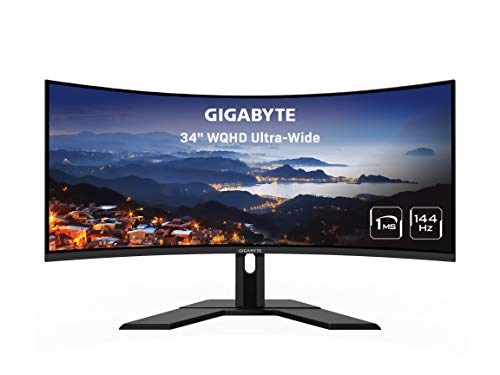
BrenttrekI have the Gigabyte G34WQC. Has been a solid monitor for me for 4 years. Only jumped into sim racing on it in the last month, but has been a great productivity monitor and flight sim monitor. Wish it had a usb port available. Willing to take some screenshots for you in your preferred FOV if you need. Any monitor can give you mirrors if you adjust the FOV, but that doesn’t mean it’s the right setting for your position.
JavaNocKziKI have a 34" UW 21:9 @ 3440x1440 (Gigabyte G34WQC) that I use for both gaming and also coding (for work). I can't ever see myself going back to a 16:9 or 16:10 monitor, I just love UW monitors. They're also great for watching 21:9 movies without borders. Also, if you haven't already, definitely get Microsoft PowerToys and set up the FancyZones plugin to make better use of that UW realestate.
I'd say the only games I don't like playing on UW are games that don't support it properly. I've yet to find a game that supports UW that I don't actually like on UW. That said, even if the game runs in fullscreen at 16:9 with black bars on the sides, I don't think they're too distracting. Vast majority of popular and triple-A games will support UW. 21:9 is the most common and most likely to be supported, but when you go wider than that you might have less support, but I couldn't say for sure.
Nah, and for things like VS Code I typically have it zoomed about 90% with 14 font size, so quite small text. Monitor is about an arms length away, but works for me. I can see lots of code and read it just fine. That said I would like to find an inexpensive ultrawide that is phyiscally larger than 34", but ideally still 3440x1440 as I'd want more physical screen without it being harder to drive, and PPI doesn't really bother me (unless it's too low). Kind of like the Corsair Xeneon Flex, but at £2k no thanks.
Ok-Camera8183Anything Gigabyte works perfectly! You won't be disappointed. That said, I code full-time and run an ultrawide, and honestly it’s hard to go back. Having my IDE, terminal, docs, and browser all side-by-side is a huge productivity boost. For casual gaming it’s awesome too - the immersion is great, especially in open-world or racing games. Just keep in mind some titles don’t fully support 32:9, so you’ll occasionally get black bars.
wdym by good? in terms of a device and price? Well, there are substitutes i can quickly think of. For instance; * The Dell S3422DWG 34" curved gaming monitor. It has a strong color gamut and good contrast * The Samsung Odyssey G5 34" ultrawide (LC34G55T). It comes with a 165Hz refresh rate, very immersive output, and pocket friendly for ultrawide gaming * You can also consider the Gigabyte G34WQC. Another excellent pick.
proxyeg08I don't have any recommendation for you but damn only 1 yr? Sorry for that. Gonna stay away with LG too if it were me. My Gigabyte G34WQC did a good almost 3 yrs before motherboard decided to retire lol. Not sure why it happened it was just a normal day but it did. thankfully still under warranty and was fixed at no cost and they replaced the motherboard, I think it was fried based on the receipt. Maybe you could check if theres any warranty for that as well as you might be covered while you are still looking for a replacement.
LetterheadClassic306For productivity with some gaming, I'd actually lean toward the 34-inch UWQHD option you mentioned. The extra horizontal space is great for spreadsheets and the 1440p resolution is easier to drive than 4K for gaming. A monitor like the [Dell S3422DWG](https://metadoraffi-eng.github.io/shopit?Dell+S3422DWG+34+inch+ultrawide) offers that sweet spot with 144Hz for when he wants to game. If budget is tighter, the [Gigabyte G34WQC](https://metadoraffi-eng.github.io/shopit?Gigabyte+G34WQC+34+inch+ultrawide) is another solid VA panel option. I ran a similar setup last year and found the ultrawide format genuinely helpful for productivity workflows.
HeidenShadowsModern high refresh rate VA panels are actually not too bad. I had a Gigabyte 34in ultra wide curved monitor, and the colors were almost as accurate as the LG panel that I used before that. But with the affordability of OLED panels getting cheaper and cheaper in the 34-in ultrawide department, it's either go that or go home now.
Matttman87Look up Wendell from Level One Tech's take on it, it changed my perspective because I've owned several ultrawide displays. He basically says that if you have the space for the extra width, just get a bigger display. You can do a custom ultrawide resolution if you want that aspect ratio and the rest of the time you've just got more screen real state. Typing this to you on a 48" OLED TV, which I bought after selling my third ultrawide. Started with an Eyefinity triple display many many years ago, then got a 29" 1080p ultrawide, then got the 34" version of that same 1080p display and most recently had a 144hz Gigabyte 1440p ultrawide and my current 4k OLED is the best by a significant margin. Big screen is immersive, quadrants for multi-tasking, it does everything well.
LG C1 because I got a crazy deal at an auction house. $450 CAD, basically $350 USD at the time, for a 48" OLED. Sold the Gigabyte monitor I had at the time for $400 CAD because it was $450 plus tax at the time, but I got it as a Black Friday Door crasher for I think $359 so I basically broke even on it. My only complaint is that being an early generation of OLED that's been used as a monitor for almost 2 years now, there's some burn in. Extremely minor everywhere except the taskbar icons, literally invisible to me right now but certain colour screens reveal faint ghostly lines from the Facebook website layout. My ex used my PC and left Facebook open with a video auto-playing on her feed so it didn't kick on my screensaver.
Rankings by Use Case
Top recommendations from others in the same boat
Best for Competitive FPS gaming

Top pick
LG - 45GX950A-B
Best for Finance and heavy excel multitasking

Top pick
Samsung - Odyssey Neo G9 G95NC
Best for Immersive single-player gaming and movies
Top pick
LG - 45GX950A-B
Best for Professional video editing

Top pick
Alienware - 38 Curved Gaming Monitor - AW3821DW
Best for Sim racing and flight simulation
Top pick
Samsung - Odyssey Neo G9 G95NC
Best for Software development and coding
Top pick
Samsung - Odyssey Neo G9 G95NC





