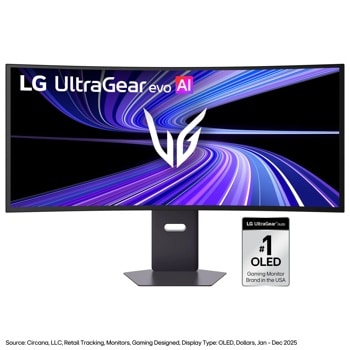
If i have to choose like you in similar case I'd go for 57". I used to be gamer before I became a dev and for past 3 years I've been gaming maybe in total 50 hours. Current I use dual monitor setup -> 34" LG ultragear and 24" 1080p. If I have the money I'd take as much as possible more wider screen than caring that much for gaming.
I use the LG ultragear 34". I'm not sure if it's the exact same model that you say is not in stock. It's the best monitor Ive I've had though, so I'd say it's worth doing some digging.
I tried some VA panels, and they had the dreaded VRR/AdaptiveSync flicker issue that so many get. I've heard OLEDs get them too. I'd never go back to gaming without VRR, especially at high refresh rates. The one I returned before getting the LG even flickered on the desktop sometimes. IPS hardly ever has that issue.
Hell yeah! Did you weld that up yourself?
I'm bad to ask because I run vr. But I run a 34 ultrawide LG ultra gear and you can't go wrong with their monitors. I've seen most recommend a 49 for just one or a 57 if you can swing it but they pricey for sure.
Samsung has a 49 you can find on sale all the time. Heard that inconn brand 49 on Amazon isn't terrible for its price. I did see someone post at like Sam's Club or Costco there's a msi 49 inch deal for $650 right now. Not sure if you're in US
1. How do you currently use your split-screen setup? (e.g., Triple monitors, 32:9 with FancyZones, etc.)
I currently use an LG 34" Ultragear with a desktop and PS5 attached. Additionally, I have a 17" Laptop for my main driver, so I can have two full screens, or sometimes 1 full screen and two narrower screens.
If I don't want to disturb my screen setups, I'll use my phone or tablet as another 'screen'
2. What is the advantage you expect from moving to a 52” 5K2K display?
Greater efficiency by having more screen real estate. I would like to have full side by side monitors that I can control with one device to improve my workflow. When I pivot to the casual browsing/movie/gaming session, I would be able to do this all with one monitor, greatly cleaning the clutter on my home desk setup.
I adore my current LG monitors (2x 34” IPS, 1x 27” IPS), but they’re fairly old now, lack the OLED displays, and I’ve been concerned about upgrading cause larger form factors have had pixel density issues. This seems like the perfect mixture of size, tech, and would fix perfectly into my mixed work from home and gaming setup.
Top Ultrawide Monitors on Reddit
1
LG
45GX950A-B
70% positive of 908 users
45-inch 800R OLED: immersive gaming, polarizing curve for work.


 hakimix94