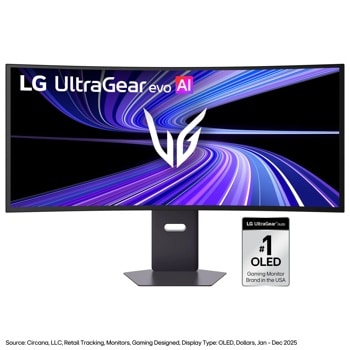
I have an RTX5090 with the 39gx950b. I run games with full ray or path tracing and Max out most settings at ultra.
I use DLSS to get the fps I need. I can't really tell much degradation all the way down to DLSS performance mode during gameplay. Though maybe if you zoom into some pixels you might see better output with balanced or quality, but if youre busy playing I dont think you'll notice any difference using DLSS performance or balanced.
For single player games I use frame Gen to get the frame rate close to 165. I dont notice much input lag when using a controller. Maybe it could be different for mouse and keyboard. But I dont notice anything except a smoother moving image when using a game controller.
Its definitely harder to run, and if a better video card than a 5090 existed I would want to upgrade. But the 5090 is enough to drive pixels on the screen such that the overall image quality is way better than my former 34gp950b screen at 3440x1440. In fact its a whole lot better.
So for me its still a massive upgrade in image quality even though I need to go from DLSS quality at 3440x1440 to balanced or performance with 5k2k. Which is all that really matters for me.
Once a new generation video card comes out maybe we can get it to look slightly better by turning off those features, but I dont expect it to be as big of a leap as going from the 34gp950 to the 39gx950
Overall 5090 is good enough for this display. Note I dont play competitive online games at a high level. If you do, then you may need to turn off some graphical features to get good latency. But at that point you dont care that the image doesn't look super good anyway right? You only care about winning. So dialing back graphical settings will get your frames up.
Yeah I'm in the same boat. Running an oldish 34in 85ppi 21:9, IPS 144Hz LG.
Bumping up to 39in 142ppi 5k2k, oled 165Hz would be a huge upgrade.
Those retinal displays are really really tempting though for the beautiful ppi. But tbh I don't know how well those crazy resolutions would even perform in games. Your desktop background would look heavenly, but most game engines would probably grind to a stop. Not to mention the lack of ultrawide.
If i have to choose like you in similar case I'd go for 57". I used to be gamer before I became a dev and for past 3 years I've been gaming maybe in total 50 hours. Current I use dual monitor setup -> 34" LG ultragear and 24" 1080p. If I have the money I'd take as much as possible more wider screen than caring that much for gaming.
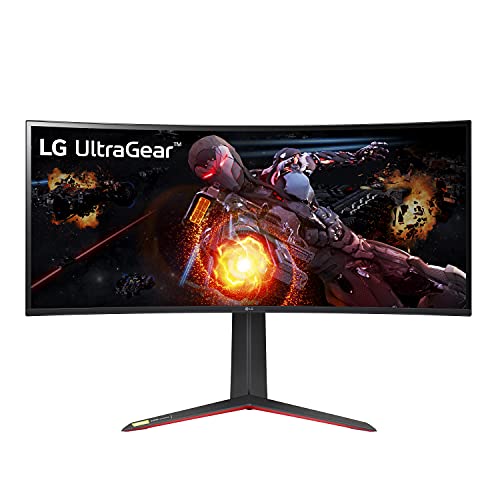
I use the LG ultragear 34". I'm not sure if it's the exact same model that you say is not in stock. It's the best monitor Ive I've had though, so I'd say it's worth doing some digging.
I tried some VA panels, and they had the dreaded VRR/AdaptiveSync flicker issue that so many get. I've heard OLEDs get them too. I'd never go back to gaming without VRR, especially at high refresh rates. The one I returned before getting the LG even flickered on the desktop sometimes. IPS hardly ever has that issue.
Hell yeah! Did you weld that up yourself?
I'm bad to ask because I run vr. But I run a 34 ultrawide LG ultra gear and you can't go wrong with their monitors. I've seen most recommend a 49 for just one or a 57 if you can swing it but they pricey for sure.
Samsung has a 49 you can find on sale all the time. Heard that inconn brand 49 on Amazon isn't terrible for its price. I did see someone post at like Sam's Club or Costco there's a msi 49 inch deal for $650 right now. Not sure if you're in US
Top Ultrawide Monitors on Reddit
1
LG
45GX950A-B
70% positive of 908 users
45-inch 800R OLED: immersive gaming, polarizing curve for work.


 zareth78