I have this exact monitor, and bought a Mac Mini M4 a few months ago and had this exact issue.
Using BetterDisplay has improved it slightly, but I’m still not entirely happy. My realisation is that the monutor ultimately does not have a high enough PPI count (pixels per inch).
The LG 34WN650 has a PPI of 82. Apple’s retina displays are around 218. You can immediately tell there’s a stark difference, which is the cause of your issue.
I am living with it right now, but I’m saving for an ultrawide with a higher PPI - pricier sure, but at the end of the day I cannot expect a premium experience with budget hardware.
I’d try switching the connection first before going too deep into software tweaks.
Use a USB-C to DisplayPort cable instead of HDMI. Macs tend to handle DisplayPort a lot better, especially for ultrawide monitors like the LG UltraWide 34WQ650-W. HDMI on some setups can cause weird scaling or text rendering issues.
Then go into Display Settings and make sure you’re running the highest refresh rate available. That monitor should support up to 100Hz over DisplayPort at 2560x1080. Higher refresh won’t magically fix resolution, but it can make text look a bit smoother and less jittery.
Also double check that the display is set to RGB (Full Range) if you see that option anywhere, since limited range can make things look off.
If it still looks rough after that, it’s honestly the pixel density. 2560x1080 on a 34 inch screen is pretty low for macOS, which expects higher DPI. That’s why the scaled 2560x1060 looks cleaner, it’s kind of tricking the system into better rendering.
But yeah, step one is definitely DisplayPort plus max refresh rate.
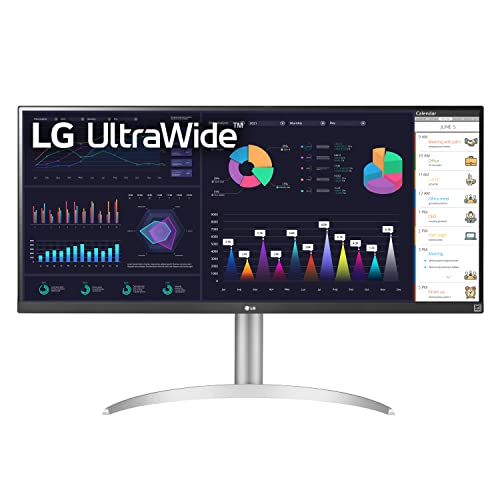
I recently bought an M4 Mac Mini for my home desk. I found an ultrawide monitor for a very good deal, like $150 less than its market price with a box and everything with absolutely 0 damage so I grabbed it. The monitor is LG UltraWide 34WQ650-W.
Apparently, both the Mac Mini and the UltraWide monitor are my first ever setup and I was not aware of how Apple handles the third party displays nor was I aware of the consequence of getting a 34 inch monitor with an FHD resolution. The screen only having a resolution of 2560x1080 and a wider 21:9 aspect ratio, they don't seem like a perfect combination. On top of that, someone told me macOS was made to look good for Apple's retina displays with higher resolutions so the third party displays like these usually feel bad.
The weirdest part is, when the resolution is set to 2560x1080, which is the default one in the display settings, the texts are absolutely horrible, jittery looking and they almost look like serif font but... if I set the vertical resolution to 1060, making it 2560x1060, everything looks neat except that things look bigger than how I would expect them to look on this screen which makes it a bit unpleasant.
I tried BetterDisplay. I'm still on trial and have like 10 days left. However, meddling around its settings to "fake" the resolution, scale the text or whatever they claim this thing is for, doesn't really seem to be showing any difference whatsoever. I'm not sure if I failed to work this thing around either but I did everything according to internet searches.
Has anyone used this monitor (or a similar UW FHD monitor) with a Mac Mini? How did you adjust your resolutions and what worked best for you? Please show me some workarounds to get the best results.
I know the monitor also has its own limitations so I can't expect it to look ultra HD either but from what my eyes are seeing, it shouldn't be as trashy as how it looks right now with the default resolution. I don't need better resolutions, just would like to get the jittery texts to be fixed with the default 1080p res.
That is a really low resolution for any modern operating system and it will have issues on Windows and Linux as well.
That being said, it looks worse with the full vertical resolution because you are using HDMI. Get a usb-c to DisplayPort cable and that should fix why it looks so much worse at 1080 than it does at 1060.
Right now it looks better at 1060 because the monitor is reporting to the operating system that it does overscan. This is incredibly common with third party HDMI monitors because the monitor maker used a TV control board not a monitor control board (another marker of it being a bad monitor). Overscan originated in the CRT TV days because it made sure the image filled the screen and has carried over to flat panels even though it's no longer necessary with those. Switch to DisplayPort and it won't use overscan anymore allowing you to use the real vertical resolution of 1080.
Using an LG ultrawide, prolly the 34" 1080p 75hz version. It costed me around 13k 3 years ago when I bought it and I would say it's much better than those Xinese monitors that will breakdown after a year or later. I would rather not buy to those "specs" for cheap if it will be scrapped earlier.
I adore my current LG monitors (2x 34” IPS, 1x 27” IPS), but they’re fairly old now, lack the OLED displays, and I’ve been concerned about upgrading cause larger form factors have had pixel density issues. This seems like the perfect mixture of size, tech, and would fix perfectly into my mixed work from home and gaming setup.
Top Ultrawide Monitors on Reddit
1
LG
45GX950A-B
70% positive of 908 users
45-inch 800R OLED: immersive gaming, polarizing curve for work.


 rufioZA






