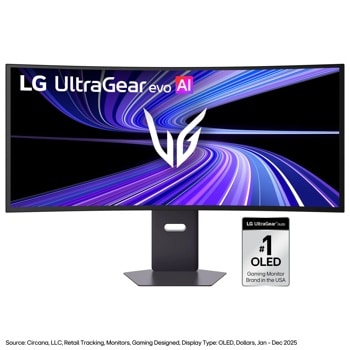
I did it and bought the 4k 240hz monitor soon as they dropped, because after you have seen better, it is hard to go back (at least for me it was). Recently upgraded to the 39 inch LG UW because I wanted 4k like resolution in UW format.
Okay so mine is a WQHD LG 39GS95QE. So this isn’t really too big of an issue. I like it so far, much better than my older LG 32”. But I mostly game and switch from PS5 to PC would getting this 5k2k really matter?
I love it, at 5k2k in a beautiful single player game like CP2077 or RDR2 there is no better monitor this is the current peak of gaming.
However 165hz is not enough for fast paced PvP FPS gaming, it is not competitive in real world it has tearing and skipped frames and is not good for fast paced online play at 165hz.
The 330hz mode is fantastic and I do not mind the 1080p as the game (BF6) was so playable, so competitive, no tearing or skipped frames at all at 300+fps it felt like I had an advantage over my old 240hz 32" 4k OLED.
The field of view is perfect, far better to have the vertical space than giving up vertical area to have screen outside peripheral vision to the sides. I didn't notice the reduced resolution at 330hz, the games I play using that mode dont allow stopping and looking at the flowers anyway, its skip to the next target or be the target.
Still I would like to see the 5k mode have a higher refresh rate, at least 240hz so the monitor will allow competing at higher resolution. No monitor currently offers that, but they will some day so to stay ahead LG needs to up the refresh rate for 5k2k.
What GPU you even have?
You're not really going to get 165FPS at 5k2k in any sort of recent title without massive FrameGen or disabling Ray Reconstruction.
For example I have 5080 and LG's 39 5k2k, and it's a struggle if I want to keep up the quality. The only game that I actually cap is BG3, and mostly because it has no RT and because I tried it in locations that are easy to begin with.
Honestly, in my opinion, unless you rock 5090, 5k2k is a bit too much to handle for now.
Well, before getting this monitor I had 1440p ultrawide and I was really used to just slapping full balls to the wall quality, RT, PT, Reconstruction and then DLSS-Q or Balanced and having good performance.
After the upgrade - it's a VERY mixed bag. Some games still do fine with DLSS 4.5 Performance and ultra quality, but others need Frame Gen to get over 60FPS at that level of quality.
For example Crimson Desert - if you slap on Ray Reconstruction and all the eyecandy on - it's 40-50 FPS at 5k2k *with* DLSS Performance. So you have to either use FrameGen x2 or disable Reconstruction.
Then you have titles like CP77, that are outright unplayable with PT/RR at that resolution with 5080. I benchmarked it and turned up 22FPS and I did not bother.
Of course, if you turn off PT/RR things get much smoother, but that kind of stings given you did not need to do that before.
And then, on the flipside you have games like BG3 which have no RT, and it's EASY 140FPS+, or some gacha crap with phone graphics that obviously flies.
So basically, it depends on you - if you're a quality buff, you will need to start doing some tradeoffs, because 5080 simply not strong enough to give you *everything* at 5k2k in the visually heavier titles. If you're fine with that - then okay.
Well, you're a bit different, moving from non-OLED to OLED by itself is a big jump. 1440p UW to my LG, more monitor real estate (39 vs 34), and the biggest difference is that I can see 4k content natively, that is the nice part.
Games, mixed bag, I am sure once I'll have some 6090 or shit like that they'd be amazing, but now it's tradeoffs.
Exactly the same issues Monitor Unboxed showed in his reviews: base modes are off on color, except for Personalized Picture, which is the only one actually accurate at cost of DAS mode being disabled.
I have that LG, and holy shit it was driving me mad for a week - the default mode it ships with is desaturated and overbrightened, and alternative modes are mostly oversaturated AF.
Thankfully, I stumbled on his original review where he advised to put monitor into "Personalized Picture" mode and at last it feels like it hits the color saturation right. It still seems to be brighter than should be, but I moved Black Stabilizer from 50 to 45 and I hope this works out to mitigate some of that.\\
For SDR - set Brightness Mode to "Low", because high literally sears your eyeballs off in a dark room.
I got the 39" and its fantastic. Colour out of the box sucks but thats an easy fix. Alienware KVM would've been nice but I've been looking to upgrade for almost 2 years so YOLO
3440x1440 39” LG oled. I absolutely love it. Mostly for gaming. Good curve to it works well with DCS, FPS games. I love the curve some don’t it’s a personal preference thing.
39gs95qe.
Top Ultrawide Monitors on Reddit
1
LG
45GX950A-B
70% positive of 908 users
45-inch 800R OLED: immersive gaming, polarizing curve for work.



 Ballfade