
Running these analyses costs money. Buy through my links to help keep lights on! I may get a small commission.
Reddit Reviews
 Bret_Riverboat
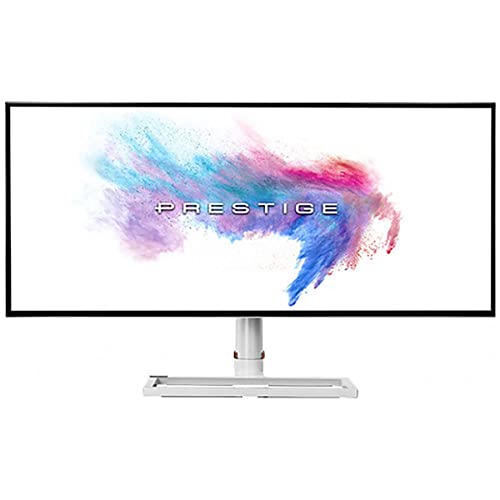
Similar to mine, can’t afford that Odyssey lol….! MSI 34” 60hz using a 4060ti. It’s the CPU that bottlenecks when I drive against AI, but online in LFM it’s smooth as silk
DuckBrainedSure, I wrote out these rough instructions somewhere on that AMA. However, I will try and make them a bit clearer: 4,608 x 1920 is the target and looks perfect to me. To do this, you need to create a virtual display in BetterDisplay and associate it with the Dell, select "auto mirror" as the option (something named liked that, I'm at home so can't check 100% the term). Now under the virtual display (named at the top of the window) ensure you toggle "Use custom resolution list" and add the resolution noted above. The aspect ratio will probably show as 12:5 as well which is fine (the display is actually 24:10 not 21:9 as advertised!) Finally under the "Overview" section (not under a screen but the Overview option at the top of the window) ensure you have toggled under "Additional Settings" the option "Enable resolutions over 8K (4K HiDPI). This was the magic sauce I was missing when trying to make this work. That should now give you a crisp HiDPI resolution with plenty of vertical space.
I'm afraid I don't play games at all :( When I got this I did do an AMA over on the LTT sub-Reddit: [https://www.reddit.com/r/LinusTechTips/comments/1qhnywy/ama\_dells\_new\_u5226kw\_6k\_ultrawide\_mac\_and\_windows/?utm\_source=share&utm\_medium=web3x&utm\_name=web3xcss&utm\_term=1&utm\_content=share\_button](https://www.reddit.com/r/LinusTechTips/comments/1qhnywy/ama_dells_new_u5226kw_6k_ultrawide_mac_and_windows/?utm_source=share&utm_medium=web3x&utm_name=web3xcss&utm_term=1&utm_content=share_button) I think some people on there had some experience and also the LTT review is worth a watch if you didn't see it though of course it's a paid review so not sure how much help it will be.
These are my instructions from my AMA thread, I hope they are clear when you have BetterDisplay in front of you, if not please let me know and I'll try and write them better! \----- 4,608 x 1920 is the target and looks perfect to me. To do this, you need to create a virtual display in BetterDisplay and associate it with the Dell, select "auto mirror" as the option (something named liked that, I'm at home so can't check 100% the term). Now under the virtual display (named at the top of the window) ensure you toggle "Use custom resolution list" and add the resolution noted above. The aspect ratio will probably show as 12:5 as well which is fine (the display is actually 24:10 not 21:9 as advertised!) Finally under the "Overview" section (not under a screen but the Overview option at the top of the window) ensure you have toggled under "Additional Settings" the option "Enable resolutions over 8K (4K HiDPI). This was the magic sauce I was missing when trying to make this work. That should now give you a crisp HiDPI resolution with plenty of vertical space.
As I understand it the Samsung has less vertical space, is that right? I think it was on my list of possibles but the vertical space sold me on the Dell. In the last year I've been through an embarrassing number of monitors trying to find "the golden choice", dual screen setups etc. I had a Studio Display which was great until it started making a horrible noise so it went back, then an LG UltraFine 5K which is an excellent display and made me wonder why I bothered with the Studio Display given second hand it was a quarter of the price, also tried an older MSI 5K2K 34" UltraWide which without a curve just didn't quite work for me. Oh and an LG 6K which was OK but the anti glare sheen drove me nuts so I sold that on. Dell released this just in time to save my sanity and even this was a pain getting working with a Mac and it nearly went back (took me hours to figure it out but got it perfect with BetterDisplay even though I can only run 60Hz until Apple get their s\*\*t together). I also have a Pro Display XDR but that's for focussed creative work using one app at a time, whereas the Dell is for everything else.
alinzalauI have an msi 34 inch ultrawide. Both gaming and work. I see no issues here
Latter-Control-208It is minimal but still there. Msi already has a 34" ultrawide with rgb stripe layout. Tandem is OK but not perfect.
End of reviews
Rankings by Use Case
Top recommendations from others in the same boat
Best for Competitive FPS gaming

Top pick
LG - 45GX950A-B
Best for Finance and heavy excel multitasking

Top pick
Samsung - Odyssey Neo G9 G95NC
Best for Immersive single-player gaming and movies
Top pick
LG - 45GX950A-B
Best for Professional video editing

Top pick
Alienware - 38 Curved Gaming Monitor - AW3821DW
Best for Sim racing and flight simulation
Top pick
Samsung - Odyssey Neo G9 G95NC
Best for Software development and coding
Top pick
Samsung - Odyssey Neo G9 G95NC





