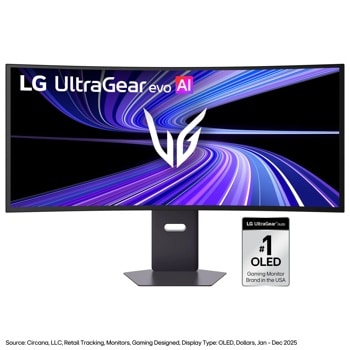
34” ViewFinity S5 Ultrawide QHD 100Hz AMD FreeSync Monitor with HDR10

Running these analyses costs money. Buy through my links to help keep lights on! I may get a small commission.
Reddit Reviews
Samsung Viewfinity S5. I couldn’t be happier with it.
Ended up with this Samsung and I'm very happy with it. Excellent picture, deep blacks, minimal glare! For less than $300 was great! SAMSUNG 34" ViewFinity S50GC Series Ultra-WQHD Monitor, 100Hz, 5ms, HDR10, AMD FreeSync, Eye Care, Borderless Design, PIP, PBP, LS34C502GANXZA
[Samsung 34" UW](https://a.co/d/76c1IUa) Not a lot of options at that budget.
[I personally use this monitor](https://www.bestbuy.com/product/samsung-34-viewfinity-s5-ultrawide-qhd-100hz-amd-freesync-monitor-with-hdr10-displayport-hdmi-black/J3ZYG2PYZ8/sku/6532277?utm_source=feed&extStoreId=350&ref=212&loc=20606267184&gclsrc=aw.ds&gad_source=4&gad_campaignid=20615841985&gbraid=0AAAAAD-ORIglrLkkz3DwveOBX3ndYXqM3&gclid=Cj0KCQjwsdnNBhC4ARIsAA_3heg1krdejE5MsC27Z8ypf34-Yx-tXRusGrUl7DnNUttocl8Xdm7Ib8caAt7fEALw_wcB). It's a bit more expensive, but probably worth saving for something like this (budget/mid-range). Lowest price I've seen is $299.
I use a Samsung 34” Viewfinity with mines. Perfect for me
Good reply. My employer got me a Samsung viewfinity 34"/100hz /VA QHD monitor, which honestly is pretty sweet for both. 60 hz is the minimum for gaming in general, but 120 hz is generally considered minimum for FPS games. Your point about spending more money for the novelty of having it in one panel: the viewfinity is a 3440x1440, it's about $250. Getting two of these gives more screen space and is about half the price of a DQHD monitor. I'm currently running this monitor side by side with my personal FHD LG 34" monitor and it's a pretty nice setup. So I'd opt for two Viewfinity monitors if I was footing the bill for productivity purposes ONLY. OP is just lucky he gets a say with his ulterior motive of gaming. I've also had temporary burn in on my separate IPS monitor from excel, lol.... Excel rows and columns were burned in until I restarted the monitor. This was on an LG Ultragear 32" IPS panel. Just reiterating that burn in/OLED is not something to risk on a productivity monitor.
I did the same, also not wanting to deal with triple hassle, upgrading from a 34” Samsung 1440p. After one race I knew I should’ve gone triples instead. My 32s arrive tomorrow. They were half the price and will provide larger FOV vertically and horizontally. Hopefully the triple hassle is overstated, but so far the stand choice has been a hassle, given it seems to cost more than the monitors.
I've had zero issues playing full-screen on an ultra wide monitor. I use a Samsung 3440x1440 UW (relatively cheap one from MicroCenter, paid $200 for it) and have had zero issues with scaling. My characters scale just fine. No short and fat or tall and skinny deformations. My hot bars are a tad smaller, but not enough so as to be detrimental. edit - but the UW does give me enough screen real estate to spread out my hot bars laterally, so I can have 16 hot bars up and still have more than 3/4ths of screen for the action. As to what you asked about how the game renders the periphery in UW...for me, it renders it just fine. No warping the edges or other deformations. Just more being visible side to side. Not really all that helpful in DDO, but great in my fps games (pubg, cs2)
Rankings by Use Case
Top recommendations from others in the same boat
Best for Competitive FPS gaming

Top pick
LG - 45GX950A-B
Best for Finance and heavy excel multitasking

Top pick
Samsung - Odyssey Neo G9 G95NC
Best for Immersive single-player gaming and movies

Top pick
LG - 45GX950A-B
Best for Professional video editing

Top pick
Alienware - 38 Curved Gaming Monitor - AW3821DW
Best for Sim racing and flight simulation

Top pick
Samsung - Odyssey Neo G9 G95NC
Best for Software development and coding

Top pick
Samsung - Odyssey Neo G9 G95NC