This is actually perfect timing for me, as I'm new to the market. I recently switched over from the 2020 Samsung g9 Odyssey 49" to the LG 45gx950a 5k2k OLED. I ended up returning it due to 21:9 not providing enough horizontal space in that configuration.
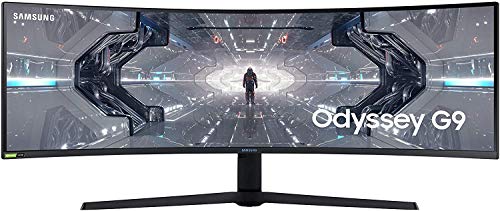
I switched over to the 57" Samsung Odyssey g9 neo. It's been a good use experience so far, it's basically the old g9, but bigger, but I have to admit that I miss the vertical space the LG offered. There's something about a monitor filling your field of view from top-bottom and to the sides.
Perhaps this monitor would be a good fit for me. I currently use my display with fancyzones, windowed everything, I'm mainly a gamer but also do productivity work (data analysis) and would like to try an even larger 5k2k 21:9 display. I will say, I am curious as to how it looks compared to the neo g9, but given that I was pleased with the look of the old Samsung VA panel g9 from 2020, I'm sure the LG display will be adequate.
Disclaimer: I received this product for free from LG as part of a promotional [event](https://www.reddit.com/r/ultrawidemasterrace/s/CD76kSo9sm). While I was asked to share my review, all opinions are entirely my own.
Finding the perfect balance between high-end gaming performance and daily usability is a constant challenge for enthusiast setups. For the past two weeks, I have been testing the LG 52G930B as my daily driver to see how it fits into a workflow split between heavy productivity and demanding gaming. As a massive 52-inch ultrawide, it promises to deliver on both fronts, but transitioning between different ultra-wide formats always highlights distinct trade-offs. Here are my initial thoughts after integrating this display into my newly upgraded workspace.
# Unboxing and Footprint
Unboxing the LG 52G930B reveals packaging that is robust, well-built, and designed to keep everything secure. However, it uses a top-opening design rather than a side-opening one. This means you have to physically lift the monitor out and place it face down to attach the stand. With a curved screen, applying pressure unevenly against a flat surface during that step can be risky. When I previously had the LG GX950A 45" 5K2K, the box opened from the front, and the monitor stayed safely face down in the molded foam, letting you mount the leg and place it right on the desk without that concern. Once it is out of the packaging, the weight is significantly lighter than my Samsung 57" Neo G9, making setup much easier. The build quality feels great, and one area where LG does significantly better than Samsung is the leg design. LG uses a beautiful, robust square mount with a minimal footprint. I recently upgraded my desk from a 63"x27.5" rectangle to a 72"x31" L-shape. Even on that massive desk, the Samsung's intrusive legs ate up so much room that my mousepad had to sit on top of them, eating up my deskmat space and other accessories. It really shouldn't be used without a separate heavy-duty mount like the Ergotron HX. The LG, on the other hand, has a much smaller footprint, taking up no more than 7-8 inches of desk space. It is completely unintrusive, and I really wish Samsung would change their leg design. It gives me full mousepad access and a much more comfortable, organized layout.
# The 5K Experience and Display Performance
At 52 inches, the 21:9 screen real estate is unbelievable. Compared to my 57", it actually feels more comfortable to use for long sessions. It doesn't stretch so far to the sides, allowing you to see the entire screen and track UI elements without constantly turning your head. The vertical height of the 52" monitor is soooo nice. Coming from the 2020 Odyssey G9 to the 45" GX950A was amazing as I felt too cramped on the G9, but OLED concerns pushed me to the Samsung 57", which was a step down in vertical height. Going back to the 52" vertical height in 21:9 has been amazing and it really feels great having that extra vertical support. I will say the 45" GX950A provided more of an immersive, "VR-esque" experience because you could sit a bit closer and fill your entire view without it feeling cumbersome. The 52" has to be pushed back a bit more which is still nice, but slightly less immersive than the 45". That said, performance on this 5K gaming monitor is fantastic. Driving the Samsung Neo G9's extreme resolution makes my PC (RTX 5090 and 7800x3D) struggle, but switching to the LG resulted in noticeably smoother gameplay. Lately, I've been playing RE9 (Gameplay linked below), and the LG handles the framerates much better during intense scenes. I do not mess with HDR, as Windows makes it frustrating and finicky to use, so I avoided it. In terms of panel tech, the Samsung's mini-LEDs were better with contrast ratios and deep blacks. The LG has a more uniform look, but Samsung's brightness and contrast made things more poppy. That peak brightness was great for gaming but highly straining on the eyes for productivity. Staring at multi-layered commission logic and white spreadsheets all day on the Samsung has easily taken 5 years off my eyesight, lol. The LG's uniformity makes it MUCH easier on the eyes for daily work.
# 4K vs 5K and Size Comparisons
I have cycled through several setups recently, dailying an OG Samsung Odyssey G9 49" for five years, testing the 45" LG GX950A, and dailying the 57" Neo G9 before LG provided me with this 5K2K Gaming monitor. When evaluating 4K vs 5K displays across these massive sizes, the PPI (pixels per inch) is the first thing I check and notice. The PPI on the 52G930B is lower than the 57" Samsung. If you sit close, you will notice text clarity and sharp edges are a bit blurrier during motion in gaming and certain textures, and especially during productivity tasks or if you are pixel peeping. However, 21:9 is simply the ideal gaming resolution. You get a great field of view in sprawling environments without the tiring 32:9 stretch, and you completely avoid the annoyance of game developers failing to include HUD spacing customization, which often leaves minimaps stuck in your peripheral vision. If you purely want to game in 5K, the layout, physical footprint, and performance here are excellent.
# Conclusion
Overall, the 52G930B has been great these 2 weeks, offering a great mix of gaming immersion and daily comfort. I plan to continue using this monitor over the next couple of months to truly get a feel for its long-term viability and performance in day to day use. If anyone has any questions, please don't hesitate to reach out!
[RE9 5k Gameplay Footage](https://youtu.be/Or0zU_fMzYM)
Here's what I'll recommend. The Odyssey g9 is a 49 inch monitor that's two 27" monitors side by side. You can go full screen 2560x1440 for competitive gaming and then split up windows using fancy zones for everything else.
I like it and enjoy using it that way.
For me, the 5k2k would be perfect if you could switch the resolution down to 3440x1440 for faster refresh rates when gaming, and back up to full resolution for productivity and movies. I'd also be happier with a 1000r curve. I have an original Odyssey G9 and the curve is perfect.
I've been itching to upgrade to the GX9 but those points have stopped me. I'll probably upgrade my GPU first.
More likely l, I'll upgrade to a 5070ti this year and a gx9 next year.
I've got a 2020 Odyssey G9. Haven't had any issues with it so far but I'm finding 32:9 to be wider than I want anymore. I'd rather have more vertical height.
I have an original Odyssey g9 49". It is excellent for productivity. I use fancy zones for window management. I used it exclusively while doing full time remote classes during COVID.
Four full browser windows side by side is pretty productive.
I have the 39" 1440p LG OLED. PPI at that size isn't phenomenal but looks fine in games. The 5k2k looks amazing but I'm not looking to take the performance hit. I can max every game I've tried at 3440x1440 and still generally break 100 fps.
I came from a Samsung Odyssey g9 49". It was incredible for productivity but kind of overkill for gaming and I wanted an OLED with more vertical space.
Sold my first gen g9 to a buddy because I thought it was too small vertically. Was debating on a 57 inch for the extra height but decided to just get a 45 inch 21:9 since it's even taller, equivalent to a 36 inch 16:9 monitor in height and I absolutely love it. No looking back for me.
Im wondering the same and will be moving up from the original 49" G9. I do WFH so productivity is large use case, thats my biggest worry with the monitor outside of the more aggressive curve when compared to the G9
I've tried both for a while, I had the original Samsung 49 inch curve and after using a top lg oled TV as my main monitor for a year I fell in love with the 57" ultra wide form Samsung. I have no regrets.
I love oled for gaming you can't beat the colour depth and ultra black blah blah blah, it does look sexier and you can add a console to it without black bars or weird stretching etc. Saying all that, there's nothing like having a screen that wraps around you for immersion
Buy from Best Buy and then just return if you don't like it. I had the OG 49" G9, tried the G9 57" and didn't like it, and then moved to the LG 5K2K and it's by far the best.
TLDR; had many monitors over the years, looking for my next upgrade from the Ark 55". Thinking LG 45 5K2K, Samsung G9 49", or Samsung G9 Neo 57". 60% productivity, 30% gaming, 10% photo editing. Bonus if the setup can KVM well to eliminate the need for another desk setup for work. $5K budget. 4090 + i9-13900K. Main games - WoW, Apex, Fortnite, PUBG, Arc Raiders, Runescape, COD Warzone, Battlefield Redsec.
In 2020 I upgraded to the G95T 49" VA 1440p 32:9, and added 2x 27" G5 1440p monitors above it. I loved the 32:9, but was irritated I could never get the bezels to line up right.
Cut to 2022, and the Ark 55" comes out. I bought it instantly thinking it was pretty much what I already had, except with seamless integration.
Used that for 3+ years and then a buddy pointed out how the Ark has ridiculously low PPI, I never game in 16:9, and at 32:9 or 21:9 it's basically 1080p.
I have been gaming at 3840 x 1080p for the last 3 years and didn't know it.
So now I'm on the search for what's next.
I love how wide the Ark is, but I don't care for how tall it is.
I'd like to gain a pickup in PPI, perhaps try out new panel tech (OLED? Higher refresh rate? Dual refresh rate?), as well as reduce the physical form factor if possible - while also gaining more productivity. I think this should be easily accomplishable since the Ark is only 80 PPI and 3840 x 2160 res.
LG 45 5K2K
OLED (pro and con - burn in, less brightness, beautiful picture quality)
Awkward size, makes it difficult to add other monitors for multi tasking
Most expensive option and highest chance of failure?
Opportunity for fastest refresh rate when downscaled
Best for gaming, worst for productivity?
Samsung 49" G95SD / Samsung 49" G95C
OLED or VA QLED options
240hz
Size and aspect ratio I've already used and love
If I got one, I'd get a pair of them and stack them (defeats my goal of getting a smaller setup)
Smallest upgrade in terms of PPI
2nd best for gaming, 2nd best for productivity?
Samsung G9 57" Neo
VA + Mini LED (no worries about burn in, better in bright rooms)
Ridiculous resolution that my 4090 won't be effective to drive in games
Potential for KVM for work?
A bit taller and wider than the 49", both of which are appreciated.
Best for productivity, worst for gaming?
I initially wanted the LG 45 5K2K most, thinking it to be the best gaming monitor. But I do find the height a bit tall (39" wide x 18" tall) comparing to when I use 3840 x 1600p on the Ark, which is a physical size of 48" wide x 20" tall. 21:9 instead of 32:9 is also a bummer.
Because of the awkward size, it makes adding extra monitors for multi tasking (youtube, discord, email, monitoring security cams, etc.) difficult. I've seen people add 32" or 27" monitors to the side, but I dislike vertical monitors. I've seen people add 34" and 38" UW above it, but then it gets taller than my Ark 55". The best option seems to be using the "portable" 16.5" monitors below it and angled up.
With the 49" OLED, I feel like I'm going back to something I've already done. 49" 32:9. The gain is the improved refresh rate and OLED/QLED, vs the 6 year old VA panel. In order to multi task with this setup, I would get two of them stacked vertically. It's a familiar option, that feels more like a step backwards than forwards. It doesn't help with my issue of feeling like 30" tall worth of monitors is too much. It also generally places the bezel right in the middle of my view.
With the 57", I think I would appreciate the extra height, but am a bit worried about the extra width. The resolution is too hard to push in most games, so I may be restricted to 21:9 or 16:9, or using lower resolutions - which sort of defeats the purpose of this monitor. It appears to have the most opportunity for future proofing, if/when Nvidia 6 series cards come out. It is clearly the best monitor for productivity. The height makes it perfect for ergonomic viewing at eye level.
Anyone who has used these (and preferably used multiple of them) what're your thoughts?
Anything I might not be considering in my search?
Monitor setups in order, left to right:
2x 24" 1080p
2x 24" 1080p + 27" 1080p
2x 27" 1440p
3x 27" 1440p
3x 27" 1440p
40" 4K
34" 1440p + 40" 4K
2x 34" 1440p + 40" 4K
3x 27" 1440p
2x 27" 1440p + 49" 1440p
55" Ark 4K
2x 27" 1440p + 34" 1440p
That setup looks clean! My first thought though is that it seems very high. How far is the gap from the desk to the bottom of the first monitor? A 34" + 29" should be 25" of vertical monitor which is essentially as tall as the 55" Ark. I can already tell that setup would give me major neck issues if I put anything that I was viewing regularly on the 29". I've found that left/right head movement isn't nearly as strenuous as up/down, which is why I'm interested in wider format ultrawides at a more reasonable height. And/or side monitors or potentially a bottom monitor angled up, which I've never tried.
Top Ultrawide Monitors on Reddit
1
LG
45GX950A-B
70% positive of 908 users
45-inch 800R OLED: immersive gaming, polarizing curve for work.


 DingusCunillingus






