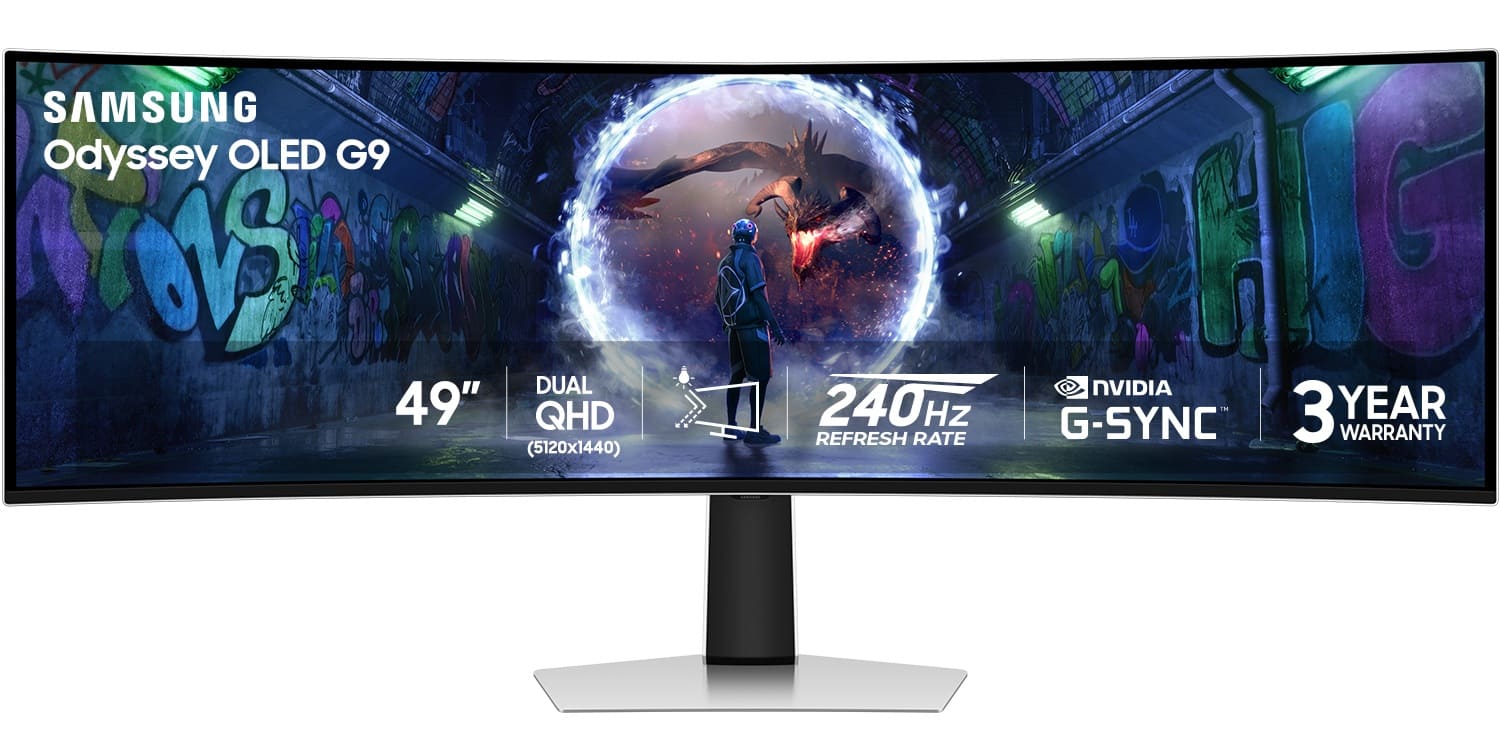
I just bought the same monitor today...will end up returning it as eBay had a better deal with the 95SC...Don't need the TV crap and it ended up being \~$400 cheaper (with warranty)
I know this is 2 months old, but I've had mine for a year with only minimal issue. We have the same GPU as well, OP.
My only complaints / problems have been:
\- Constant Display Port handshake issues upon boot which sometimes makes getting into my BIOS near impossible without sheer luck/timing or using an external monitor hooked up by HDMI. I usually just wait until the OS boots and I finally get a video output.
\- Display Flickers weird black squares every now and again, almost like pixel refresh/shift is bugging out (Only happens when hooked up to my Macbook M3 Pro so this could be a Mac OS issue)
\- Had some really weird patternistic lines that appeared on my screen when looking at anything with a light colored background. Scared me that it was burn in, but turns out running a forced pixel refresh fixed the issue.
\- Gsync support is.... finnick at times. Sometimes I have to toggle both VRR and Adaptive Sync off and on again to get NVIDIA control panel to detect the monitor as gsync compatible
\- Kinda meh HDR compared to other HDR monitors that get the full HDR 1000 nit peak brightness.
\- DLAA is very difficult to run at this resolution and maintain above 80-90 FPS
\- Lackluster picture customization options when adaptive sync and vrr are enabled. You can't adjust really anything besides color settings. This seems to be a firmware restriction because other models allow some of the options that appear to be disable on this model.
\- Be ready to take a decent performance hit in games... it's almost like running 4k without running 4k
\- Games with 60FPS lock don't feel good at all to me
\- Be prepared to mod certain games to add in 32:9 support or deal with playing in windowed/black bars if the game only support 21:9 without banning you for patching in 32:9
Pros (why I kept the monitor):
\- Games look and feel GREAT when you can get past the 120FPS mark. There are very very few games I can't push over 120 FPS with DLSS and Frame Gen these days.
\- If you are a software developer/engineer the extra screenspace without additional monitors is amazing to work with. I love having 3+ side by side tabs open in VS Code
\- Don't need to buy some janky multi-monitor VESA that often restricts how you can position the monitors
\- OLED colors look amazing
\- It's a great conversation piece when people come over to the house :)
I had both the Alienware and G9 OLED. I ended up keeping the G9. The Alienware felt too small for me on my desk as it replaced a triple 27inch setup. The G9 hits the right spots and even if the game doesn't support 32:9 just enable scaling in your driver and it'll put black bars and still look just fine. It's OLED so it's not distracting.
The Alienware did look pretty and hit all the sweet spots though. Just wasn't for my setup. I'd go Alienware if you're GPU is on the mid-lower end side though. I have a 7900XTX which I know isn't the hoss it used to be but it struggles at times.
If you do go G9 get a non-smart version. There's like 5-6 different versions of the G9. The one I have is G93SD, it has a matte screen for glare reduction (personally don't really like that) and no smart features it's just a monitor. If you get the G95SC it will run and work like a smart TV and I cannot tell you how much that took away from the experience it needed like 6 updates before I could even use it. Then it just wouldn't scale without manually toggling the monitor on the OSD. I had NONE of these issues with the G93SD. I ended up returning that one for the non-smart version.
i have the monitor and its awesome but the quality control could be better. First dead after 3 months then 4 months in repair and then after they replaced all electronic on the monitor it got a dead pixel after a year.
but two other friends qhave zero problems. so I'm just unlucky.
do u have a 4k monitor? u will roughly get the same fps.
ppi is okay but the LG 5k2k or a regular 4k monitor has a better ppi.
Its more like two 27" 2k monitors next to each other without the middle frame.
For me brightness is more than enough. I play between 25 and 40 brightness (max is 50)
What is also rly good is the anti burn in mechanic. It tries to lower the brightness of statistic objects and make them more blurry but u won't notice that in-game. I only see it on the browser tabs texts on top of the browser because the text gets blurry.
I love mine but at this point it is constantly on sale so I wouldn't rush to buy it just because of the President's Day sale.
5070 will run most most games depending on your tolerance for DLSS / FG and if you want to be running on ultra settings, ray tracing etc. Things will run, but you will have to tweak the highest end games sometimes.
Top Ultrawide Monitors on Reddit
1
LG
45GX950A-B
70% positive of 908 users
45-inch 800R OLED: immersive gaming, polarizing curve for work.


 Aceturnedjoker






